
hexo设置评论
简介:让文章可以添加评论
备注:通过拷问万能的豆包得到的办法
准备工作
新建 GitHub 仓库(用来存评论)
- 登录 GitHub → 右上角 + → New repository
- Repository name:随便取(如 blog-comments)
- Public(必须公开,否则别人看不到评论)
- 勾选 Add a README file
- 点 Create repository
开启仓库 Discussions(必须)
- 进入刚建的仓库 → 点 Settings
- 往下拉到 Features
- 勾选 Discussions(打勾)
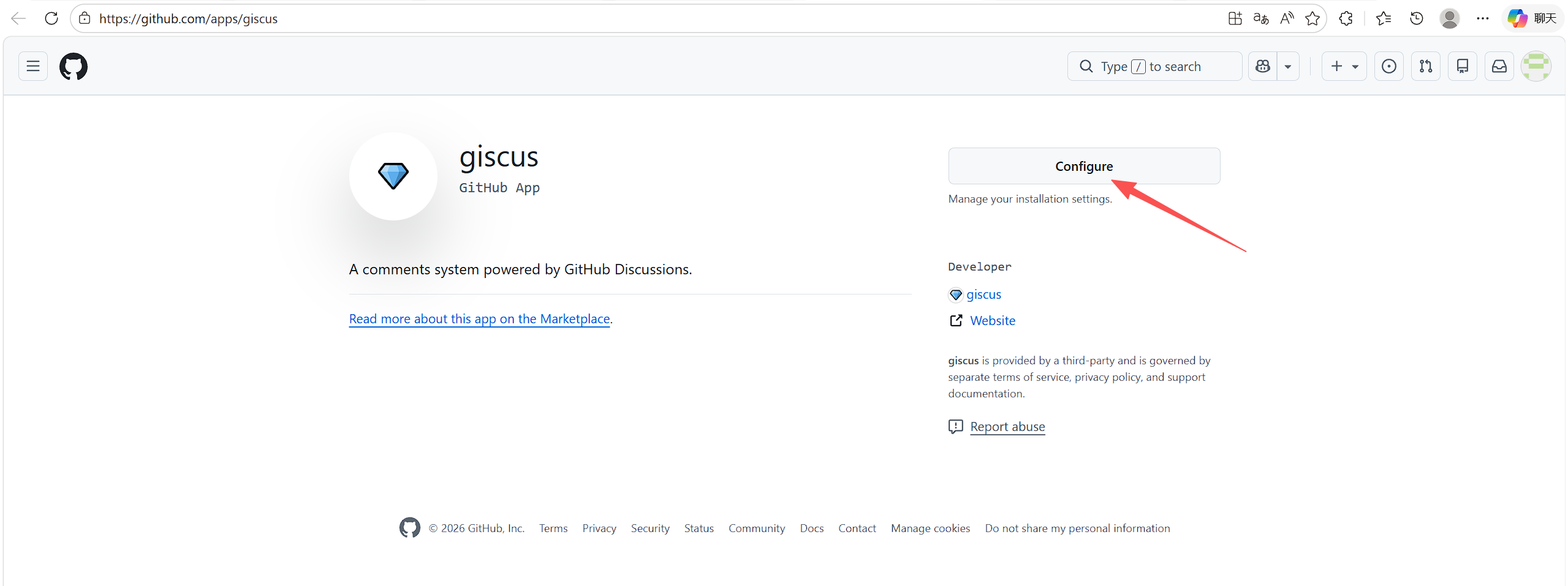
安装 Giscus App(授权)
打开:授权网址
- 点Configure
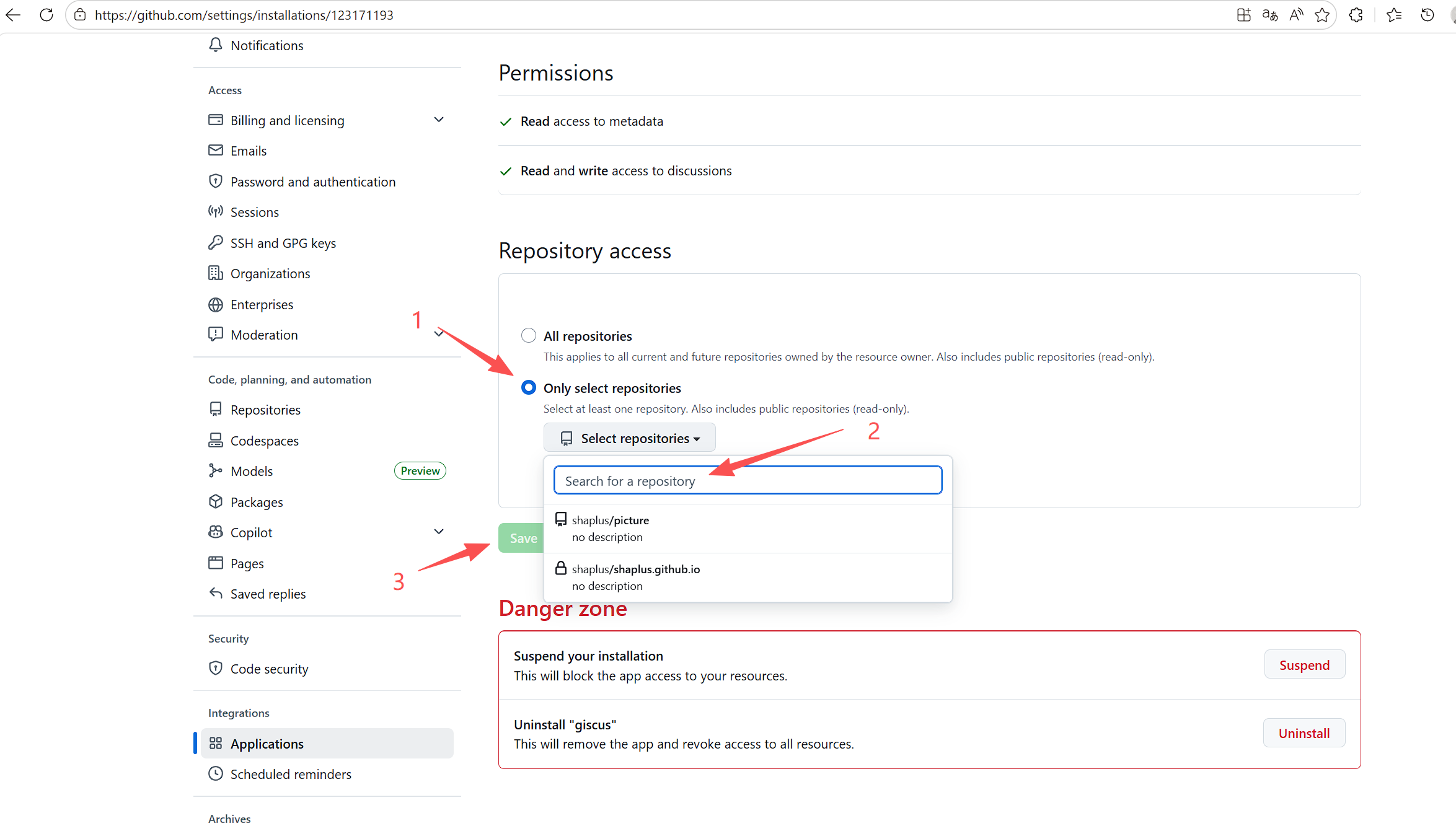
- 选 Only select repositories
- 下拉选你刚建的仓库(如 blog-comments)
- 点 Save
去 giscus.app 拿配置参数(关键)
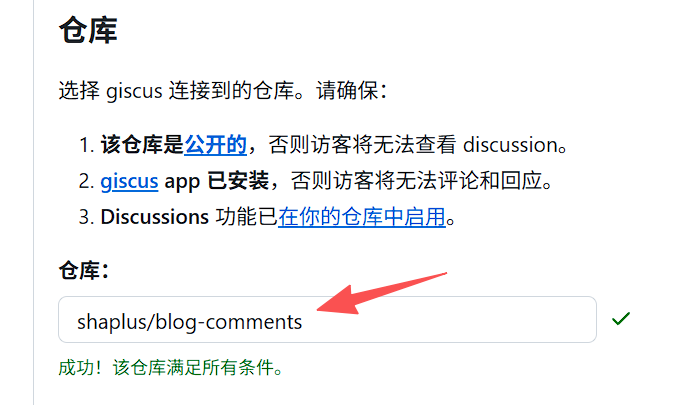
填入仓库
在 仓库 输入框:
1 | 你的GitHub用户名/仓库名 |
例如:zhangsan/blog-comments
看到 ✅ 成功 再往下走。
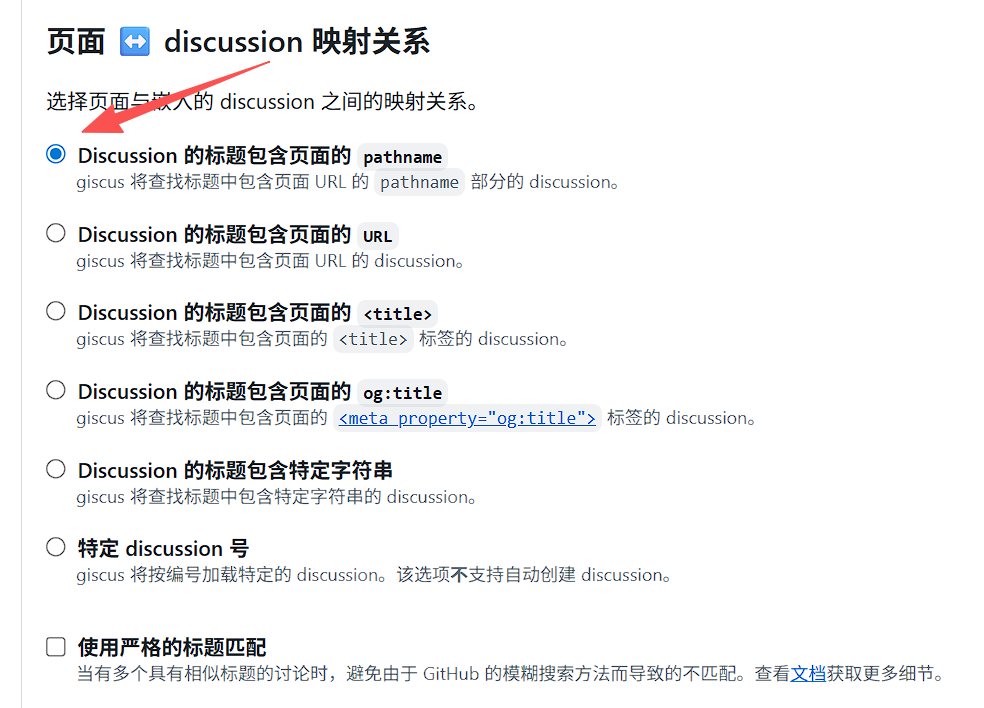
页面 ↔ Discussion 映射
选默认:路径名(pathname)
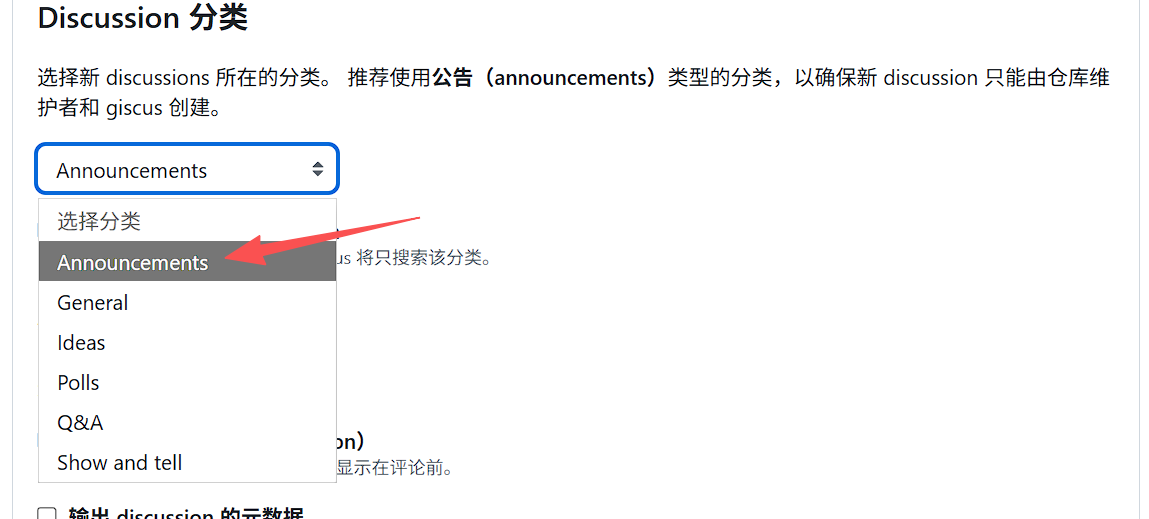
分类
选:Announcements(推荐,更安全)
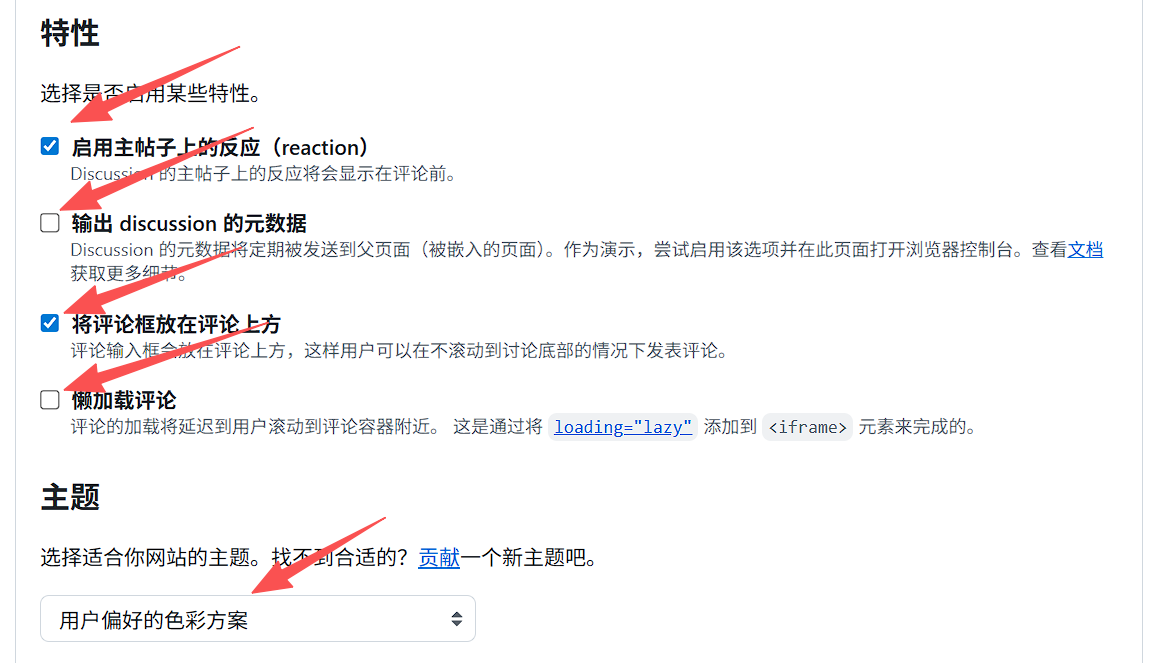
功能(保持默认即可)
启用反应:✅
发布讨论元数据:❌
评论框位置:底部
主题:跟随系统(preferred_color_scheme)
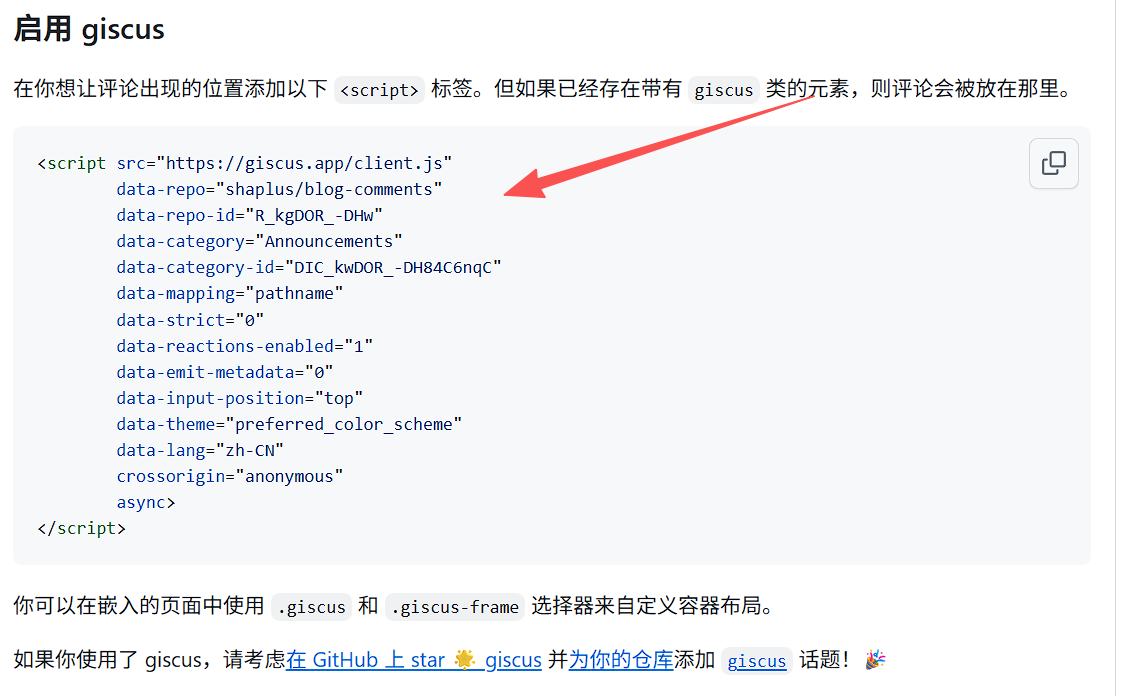
得到配置参数
关键参数:
- data-repo
- data-repo-id
- data-category
- data-category-id
Hexo Butterfly 配置(直接复制)
打开你的主题配置文件:_config.butterfly.yml
找到 comments 部分
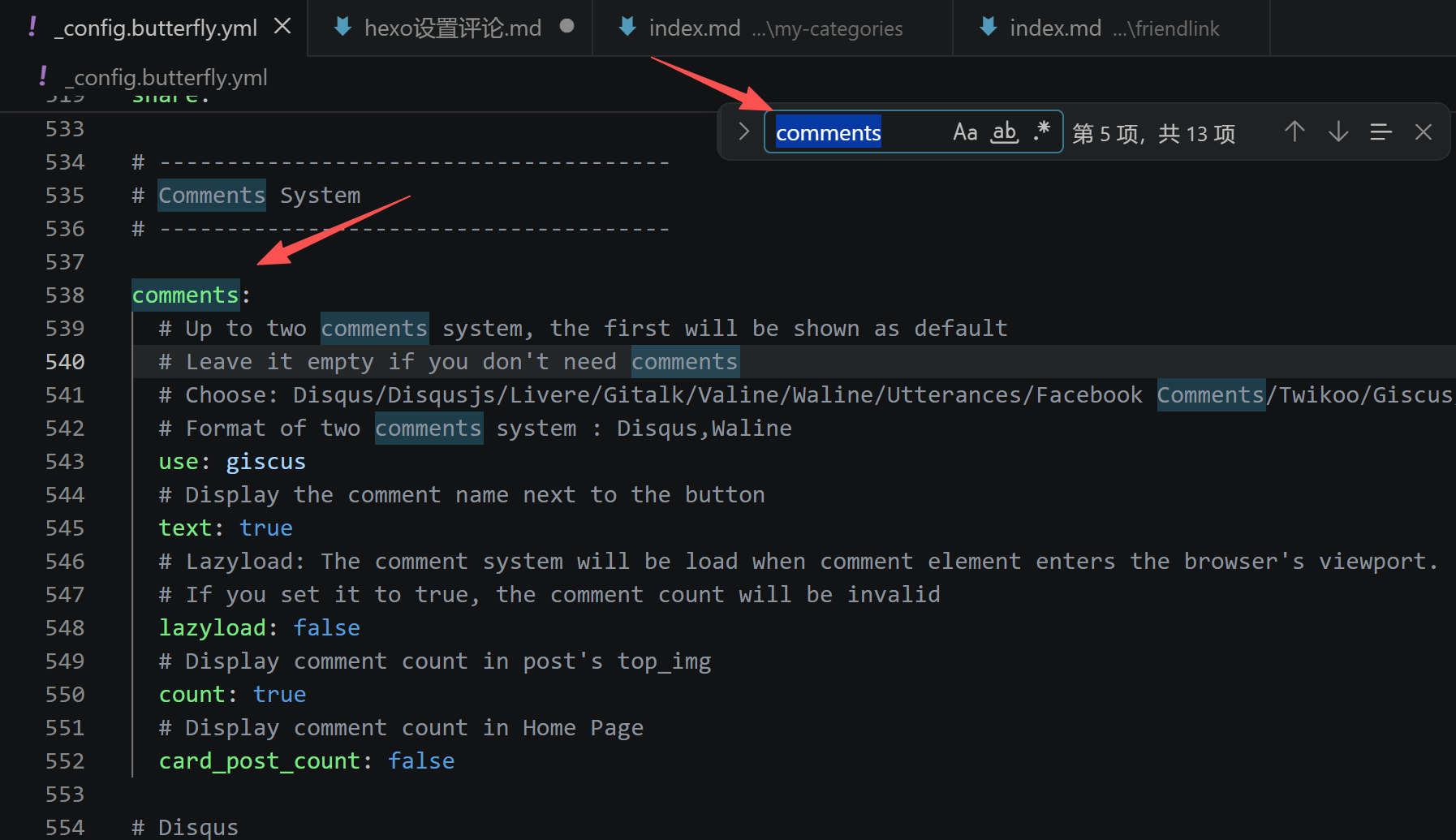
直接复制替换
1 | comments: |
找到 giscus 配置区(往下翻)
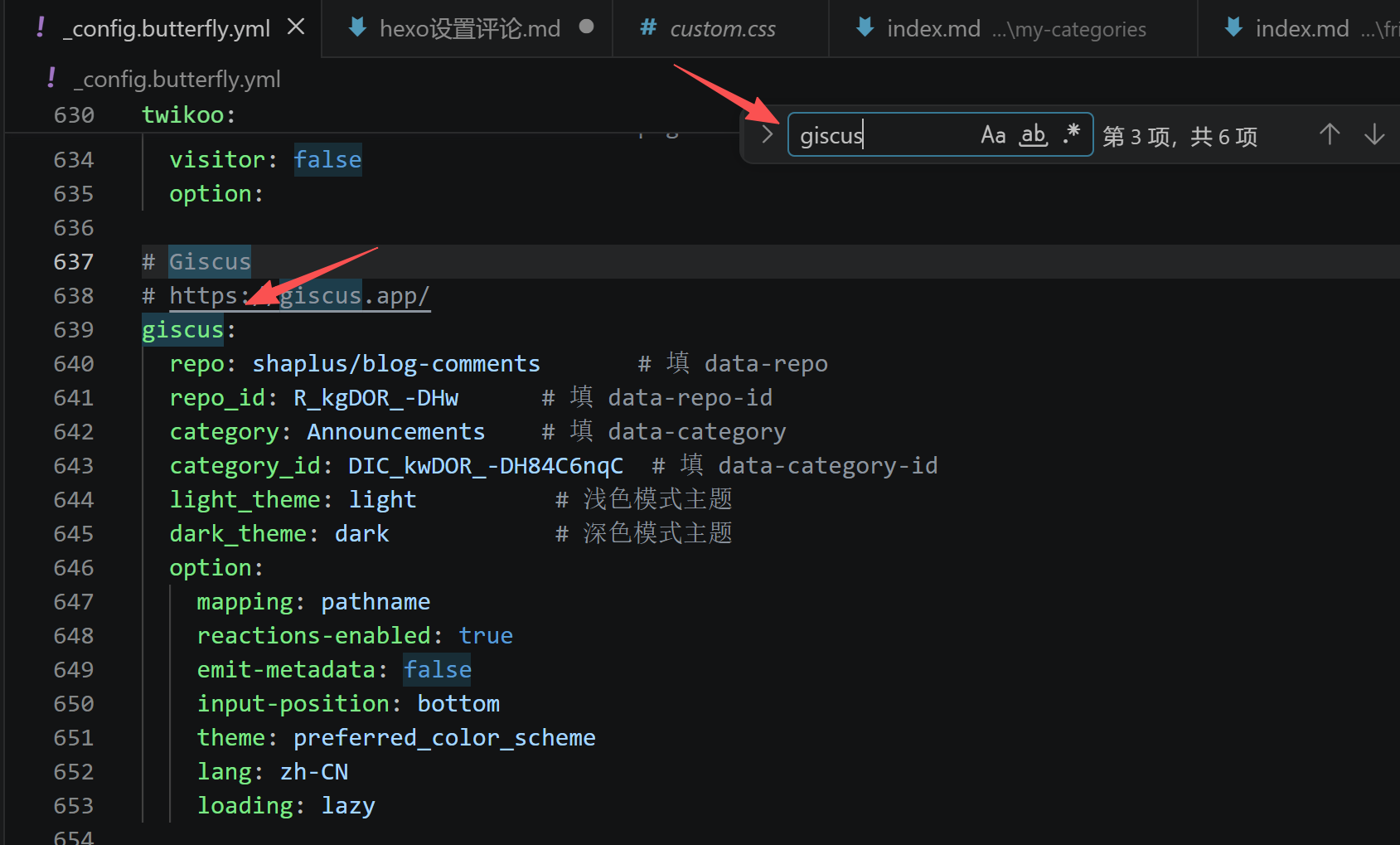
直接把下面整段复制,替换成你自己的 4 个值即可。
1 | # giscus |
生效 & 测试
1 | hexo cl;hexo g;hexo s |
打开:http://localhost:4000/xxx/xxx
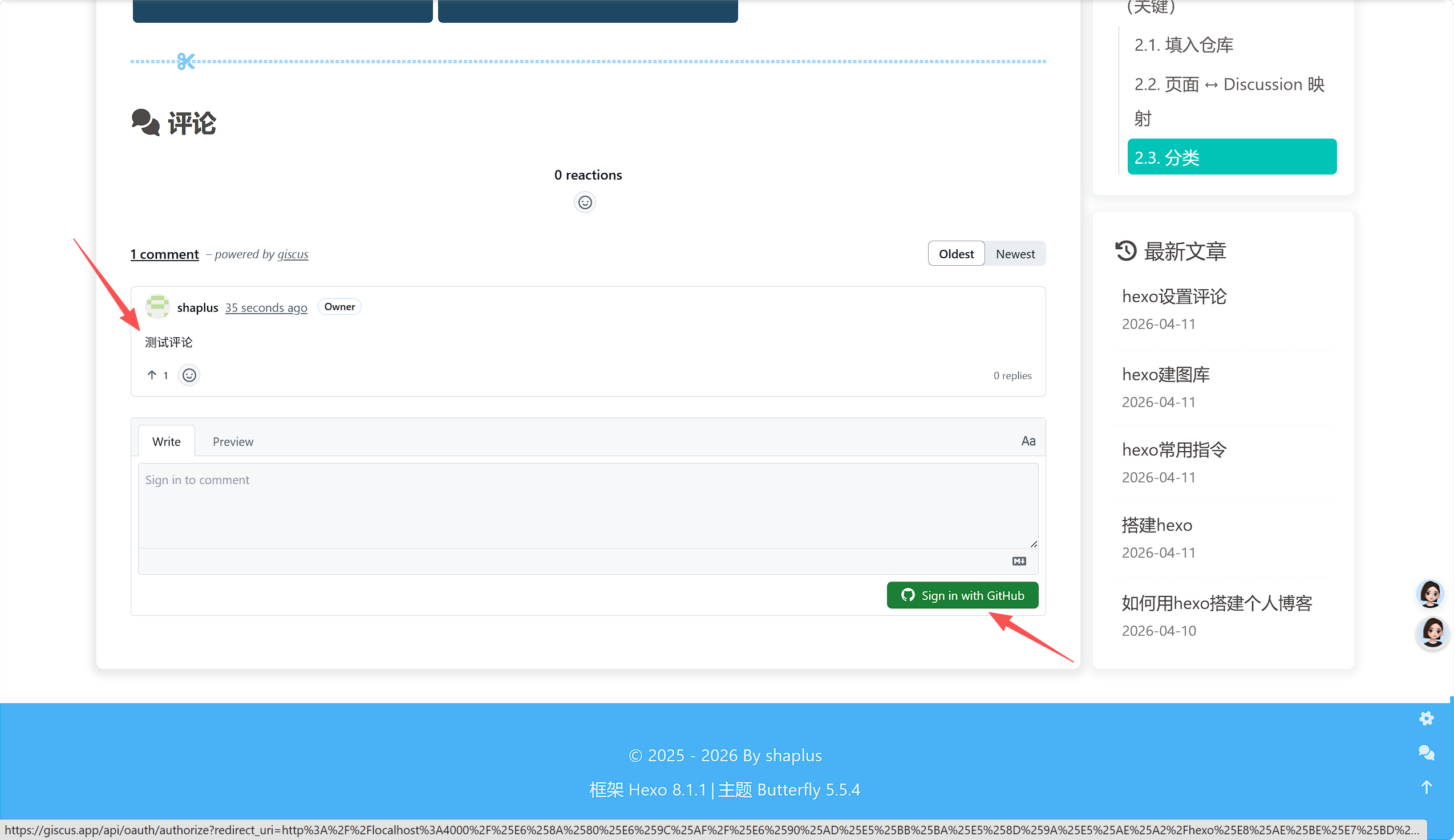
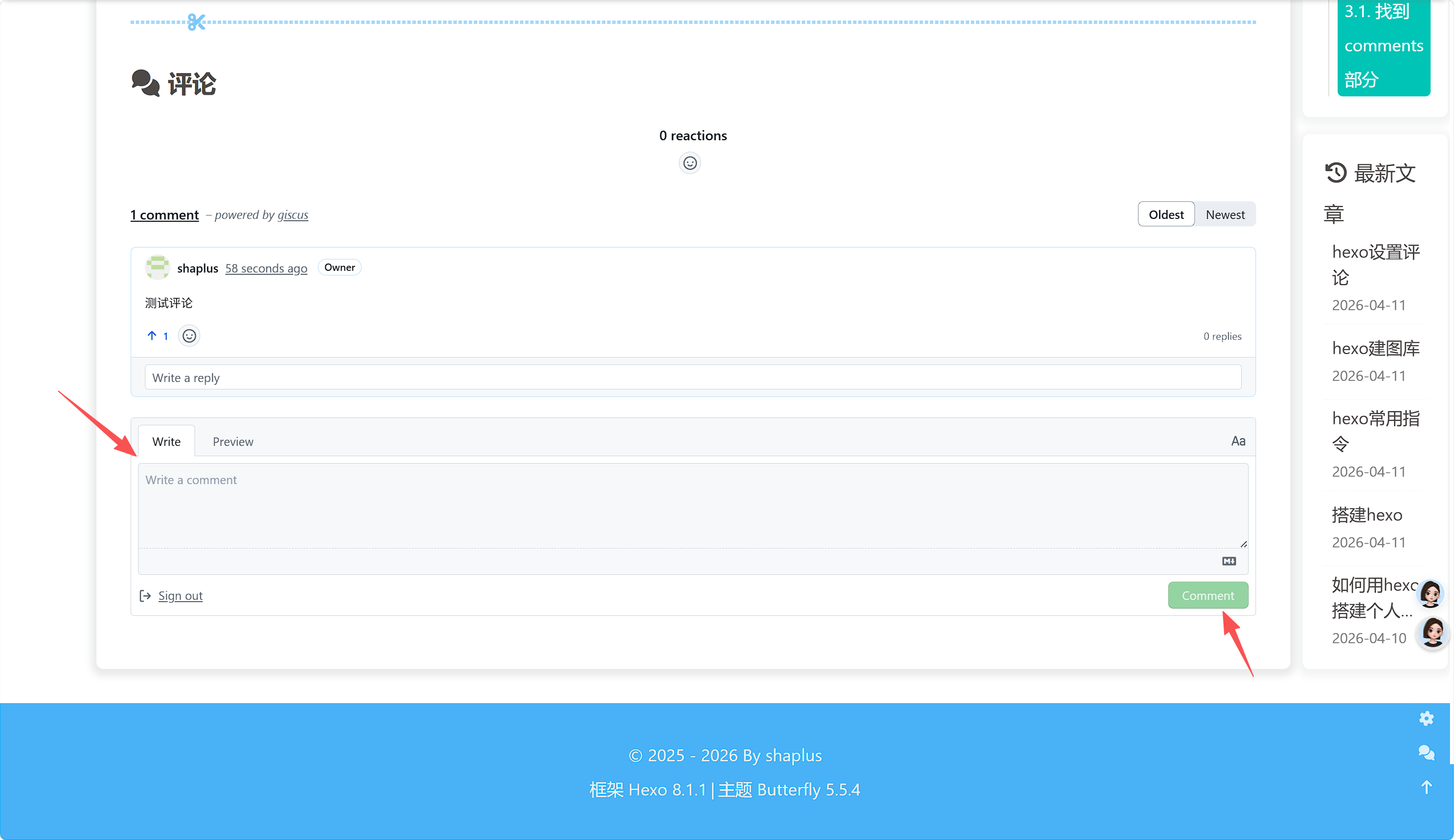
文章底部就出现 Giscus 评论框 了。
需要登录评论
常见问题(必看)
本人没出过问题,如果出问题了可以在评论区讨论一下,也可以问问ai,下面是豆包给的方案
❌ 报错:Error: giscus failed to load
仓库没开 Discussions
仓库不是 Public
没装 Giscus App
repo_id 或 category_id 复制错了
❌ 国内访问慢 / 加载不出来
开代理 / 换手机热点
或用备用链接:https://giscus.vercel.app/zh-CN
❌ 评论不显示
检查文章 md 头部有没有 comments: false
清缓存:hexo clean && hexo g
本博客所有文章除特别声明外,均采用 CC BY-NC-SA 4.0 许可协议。转载请注明来源 shaplus's blog!
评论